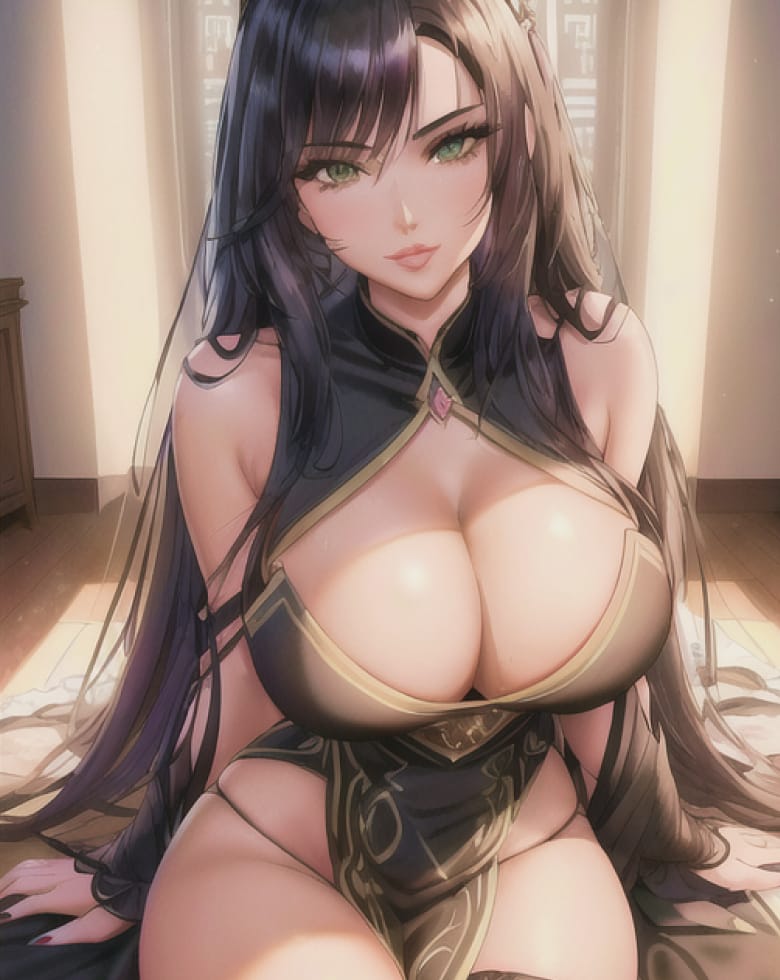
Quick Verdict
The Candy AI image generator is one of the easiest companion-focused image tools to use because you begin with a character instead of describing an entire person from scratch every time. Candy AI currently lets users choose from existing realistic, anime and male characters, then build the image with prompt text and suggestion categories such as Outfit, Action, Pose, Accessories and Scene.
The live generator also supports batch creation. Current interface pages show quantity choices including 1, 4, 16, 32 and 64 images, although older Candy AI explanatory pages still mention a lower 1-to-16 range. When those figures conflict, the live generator is the better indicator of the current interface.
Candy AI also offers image-based AI video on supported content, with a current 5-second video option showing 12 tokens in parts of the interface.
Choose a stable character → define one scene clearly → generate a small batch → change one variable → keep the best result → animate it only after the still image works.
What Is the Candy AI Image Generator?
Candy AI's image generator creates AI images around fictional adult characters.
It is part of the wider Candy AI companion experience, which means the character can also exist in chat, voice and video instead of the image being a one-off output.
There are two main ways to get images in Candy AI.
Dedicated Generate Image page
Choose a character, set scene details and generate one or more images.
Image requests inside chat
Ask compatible characters to send a specific picture from within the conversation.
Both approaches are useful, but the dedicated generator gives you more direct visual controls.
Where is the Candy AI image generator?
After logging into Candy AI, open Generate Image from the main navigation. The current Candy AI menu places it beside areas such as Chat, Collection, Create Character and My AI.
The generator first asks you to choose a character. Current categories include:
Girls
Anime
Guys
This lets you generate around a character that already exists rather than creating an entirely new subject with every prompt.
The Five-Part Candy AI Image Builder


Candy AI's current generator includes categories that make prompting easier. They break one complicated prompt into understandable components.
You can think of an image as five questions:
1. Outfit
What is the character wearing?
Current Candy AI generator pages show clothing suggestions such as skirt, crop top, leather, mini-skirt, satin robe, jeans, jumpsuit and sundress. Adult-oriented options are also present within Candy AI's 18+ environment, subject to its content policies.
Make the outfit fit the scene. A formal restaurant scene and a gym scene should not use identical styling unless that contrast is intentional.
2. Action
What are they doing?
Action describes what is happening — for example, turning towards the camera and smiling.
Avoid contradictory directions such as asking a character to sit, run and lie down in the same still image.
3. Pose
How are they positioned?
Pose describes how the character is positioned — for example, sitting beside a window.
Pose and action are not always the same thing. Separating the two helps you write clearer instructions.
4. Accessories
What additional objects are present?
Useful examples include sunglasses, necklace, handbag, coffee cup, book, headphones and camera.
Choose one or two that support the story. Every additional object gives the model another thing it can render incorrectly.
5. Scene
Where is the scene happening?
Current Candy AI interfaces include scene suggestions such as garden, beach, bedroom, gym, bar, kitchen, restaurant, balcony, bathtub and street.
The scene influences lighting, pose opportunities, camera framing, props, mood and clothing logic.
Once those five answers are clear, the prompt becomes much easier to write.
Your character choice is the foundation of the image. If you want photographic output, start with a realistic character. If you want illustrated output, choose an anime character. Do not begin by obsessing over backgrounds and accessories if the character itself is wrong.
Writing the Text Prompt
Candy AI's own image guidance says users can describe things such as outfit, pose, action and changes to visual details through text.
A strong general formula is:
Same character sitting at a small table in a modern rooftop bar, dark green evening dress, one hand around a glass, looking towards the camera with a relaxed smile, warm city lights in the background, realistic portrait photography, shallow depth of field.
That is clear without being bloated.
Start with the biggest visual decisions
Models pay attention to the entire prompt, but not every word has equal visual importance. Put the big decisions early.
"Realistic character on a rainy Tokyo street at night..." is stronger than spending fifty words on tiny accessories before mentioning the actual location.
- Character
- Scene
- Clothing
- Pose or action
- Lighting
- Camera
- Small details
Candy AI Realistic Image Prompts
For realistic companions, use photographic language. Helpful terms include:
- Natural window light
- Golden-hour sunlight
- Soft indoor lighting
- Cinematic night lighting
- Shallow depth of field
- Portrait photography
- Medium shot
- Close-up portrait
- Full-body composition
- Eye-level camera
- Warm colour temperature
"Extreme close-up full-body portrait" is contradictory. Choose one framing style.
Same character in a quiet coffee shop beside a large window, cream jumper and jeans, holding a coffee cup, soft afternoon light, relaxed expression, realistic portrait photography, medium shot, natural skin texture.
Why it works: one location, one outfit, one prop, one lighting direction, one camera direction.
Same character walking through a modern city street after rain, black coat, hands in pockets, neon reflections on the pavement, looking slightly away from camera, cinematic night photography, full-body composition.
This prompt has movement without becoming chaotic.
Same character on a hotel balcony at sunrise, simple white shirt, leaning against the railing, calm expression, soft golden light, ocean in the background, realistic lifestyle photography.
Again, everything supports one coherent scene.
Candy AI Anime Image Prompts
Anime prompts can use many of the same structural ideas, but visual style matters more. Focus on:
- Illustration style
- Character expression
- Outfit
- Environment
- Mood
- Colour palette
- Lighting
- Composition
Anime character in a neon arcade at midnight, oversized black jacket, playful smile, holding a retro game token, vibrant magenta and blue lighting, detailed anime illustration, waist-up composition.
The environment and colour direction are doing a lot of the work.
Want anime-specific characters? Candy AI has a dedicated anime section.
Try Candy AI AnimeUse Small Batches First
Candy AI's live image generator currently shows batch-size options including:
That does not mean you should always choose 64. For prompt development, one or four images are usually enough. Large batches make more sense after you have a prompt that already works. Otherwise you can create dozens of variations of a flawed idea.
Why current batch limits look different online
Candy AI's older explanatory image-generator pages describe selecting between one and 16 images. The current live generator pages show larger options reaching 32 and 64. When a live product screen and an older marketing explanation disagree, use the live interface for the current operational limit and mention that availability can change.
This is a good example of why feature guides need updating. Candy AI changes faster than many evergreen reviews.
How to Request Images Inside Chat
Candy AI also teaches users how to request images directly from a character conversation. Current chat guidance suggests beginning with phrases such as:
Then finish the request with the scene. Examples:
Send me a selfie at the beach.
Show me your outfit for dinner tonight.
Can I see a picture of you in the café you mentioned?
This feels more conversational than opening the dedicated generator.
Dedicated generator vs chat images
Use the dedicated generator when you want
- More control
- Batch creation
- Scene suggestions
- Pose control
- Outfit choices
- Multiple iterations
Use chat image requests when you want
- A picture connected to the conversation
- A more natural companion experience
- A quick selfie-style request
- Story continuity
The two methods serve different goals.
How Character Consistency Works
Candy AI's strength is that images are connected to named characters. That gives the model more identity context than a completely blank text-to-image box.
Still, no generative image system guarantees a mathematically identical face in every output. You can improve consistency by:
- Using the same character
- Avoiding major identity changes in every prompt
- Changing scene details rather than facial details
- Keeping the visual style stable
- Generating smaller controlled batches
If one image suddenly changes the character too much, do not build future prompts around the mistake. Return to the stable identity.
Can you change hair or eye colour?
Candy AI's own image-generator explanation says text prompts can request changes such as hair or eye colour. Use this carefully.
A one-off colour change is fine if that is the goal. But if you want a long-running companion to remain instantly recognisable, constantly rewriting core visual traits can work against consistency.
Change clothes and scenes more often than core identity.
Candy AI Image-to-Video
Candy AI links image generation directly to AI video. Current generator pages display an AI Video beta flow that can turn a generated image into a short video.
Current visible option
12 tokens for 5 secondsShown in the live interface. This is a current interface figure rather than a permanently fixed universal price.
Premium allowance
100 tokens per monthVideo and calls compete for the same balance.
Always fix the image first.
Best image-to-video workflow
-
Generate the still image
Make sure the character, clothing and scene look correct.
-
Choose a simple motion
One action is better than five.
-
Generate a short clip
Use the supported video option.
-
Review identity
Check whether the face remains believable during movement.
-
Retry only with a specific change
Do not blindly regenerate the same prompt ten times.
Candy AI Image Generator Cost
Candy AI Premium currently includes 100 tokens per month.
The public generator does not expose one stable universal logged-out image token price for every image mode, so I would not publish an exact number and pretend it never changes.
The correct approach is to check the token amount displayed in the account before confirming a generation.
Premium itself currently costs:
Is the Candy AI image generator free?
Candy AI promotes free signup and some pages invite users to try image generation for free. However, full image functionality is tied into the Premium and token system.
Treat free access as a test rather than assuming unlimited free image creation. If you are evaluating Candy AI specifically for images, create the free account and inspect the live limits attached to your session before paying.
See full Candy AI pricingHow to Waste Fewer Tokens on Images
- Generate one or four first Do not start with the largest batch.
- Change one variable per retry If the lighting is wrong, change the lighting. Do not rewrite the entire prompt.
- Use a stable character Identity changes create unnecessary retries.
- Keep scenes coherent The model has fewer conflicting instructions to solve.
- Chat before generating If the image is meant to represent a story moment, establish the scene in text first.
- Animate only good images Do not spend video tokens on a weak still frame.
Common Candy AI Image Problems
Face looks different
Use the same character and stop redefining core facial features in every prompt.
Hands look wrong
Simplify hand-heavy poses and avoid asking for multiple complicated hand interactions.
Outfit is inconsistent
Put the outfit earlier in the prompt and describe it simply.
Background is messy
Reduce the number of locations and objects.
Character is too small
Specify medium shot, portrait or close-up when appropriate.
Image looks too artificial
For realistic characters, ask for natural light, realistic photography and simpler scenes.
Prompt gets ignored
Shorten it and remove contradictory instructions.
Image Privacy and Content Rules
Candy AI's privacy notice explains that generated outputs and user prompts can be processed as part of providing the service.
The policy also describes possible use of aggregated, anonymised or de-identified interactions for quality assurance, research and service improvement.
Candy AI's blocked-content policy says its service generally involves private chats and AI images accessible by individual users, but moderation controls still apply.
Candy AI is an adult platform, but its Blocked Content Policy prohibits several categories, including child exploitation, content resembling minors, non-consensual intimate imagery, harmful real-person deepfakes, deceptive celebrity impersonation, illegal content, hate content, certain violent or harmful content, and privacy and copyright violations. The platform can flag and review content that may violate these rules.
Do not use image generation as a way to create prohibited real-person deepfakes or content resembling minors. Candy AI explicitly prohibits those categories.
Is Candy AI safe? Read the full analysisBest Use Cases for Candy AI Images
Candy AI works well for:
- Custom companion portraits
- Character selfies
- Outfit variations
- Story scenes
- Anime character art
- Realistic fictional portraits
- Travel-style character photos
- Lifestyle scenes
- Images that will later become short videos
It is less suited to users looking for a general professional design suite for logos, diagrams, product mockups or corporate graphics. Candy AI is companion-first.
Candy AI Image Generator FAQ
Yes. Candy AI has a dedicated Generate Image tool and also supports image requests inside compatible character chats.
Yes. Realistic characters and realistic image generation are supported.
Yes. Candy AI has dedicated anime characters and anime generation options.
Yes. The current image generator begins by asking you to choose a character.
Current generator categories include Outfit, Action, Pose, Accessories and Scene.
Current live generator pages show batch options including 1, 4, 16, 32 and 64. Older Candy AI documentation mentions a smaller maximum, so live availability should be checked.
Yes. Supported image pages include AI video generation from an image.
A current 5-second AI video option shows 12 tokens in the live interface.
Candy AI is free to start, but full image generation is part of the Premium and token-based ecosystem.
Candy AI is an 18+ platform and supports adult fictional content within its policies, while prohibiting minors, non-consensual imagery, harmful deepfakes and other blocked content.
Final Verdict
The Candy AI image generator works best because it starts with a companion rather than an empty canvas.
You already have the character. Your job is to define the moment. That makes the best prompt formula much simpler:
Candy AI's Outfit, Action, Pose, Accessories and Scene controls make that process accessible even if you are not an experienced prompt writer.
For better results, resist the urge to create huge batches immediately. Start with one or four images, refine the prompt, keep the character stable and only move into image-to-video when you have a still frame worth animating.
That approach produces better images and protects your token balance at the same time.
Put it into practice
Try the Candy AI Image Generator
Choose a character, define one clear scene, and start with a small batch. Adults 18+ only.
Affiliate links. We may earn a commission at no extra cost to you. Token costs and interface options checked 10 September 2026.
More Candy AI Guides
Official Sources Used for Verification
- https://candy.ai/generate-image
- https://candy.ai/generate-image/characters
- https://candy.ai/ai-image-generator
- https://candy.ai/characters/new
- https://candy.ai/privacy-policy
- https://candy.ai/blocked-content-policy